
ESPN · League setup
Connect your ESPN league
StatsDeck supports both public and private ESPN leagues. For a public league, all you need is to give Claude your league ID.
For private ESPN leagues, you’ll also need your session cookie.
-
See the screenshots below for how to obtain your ESPN session cookie and get it copied to your clipboard.
-
Then sign in to StatsDeck using the button below, with the same account you chose when you connected StatsDeck in Claude. Once signed in, you’ll be prompted to paste and save your ESPN cookie here.
Signed in as — this must match the account you chose when connecting StatsDeck in Claude.
Cookie saved. Now return to Claude and say “Please connect my ESPN league (league ID#)”.
-
Return to Claude, and with StatsDeck connected, say “Please connect my ESPN league (league ID#)”.
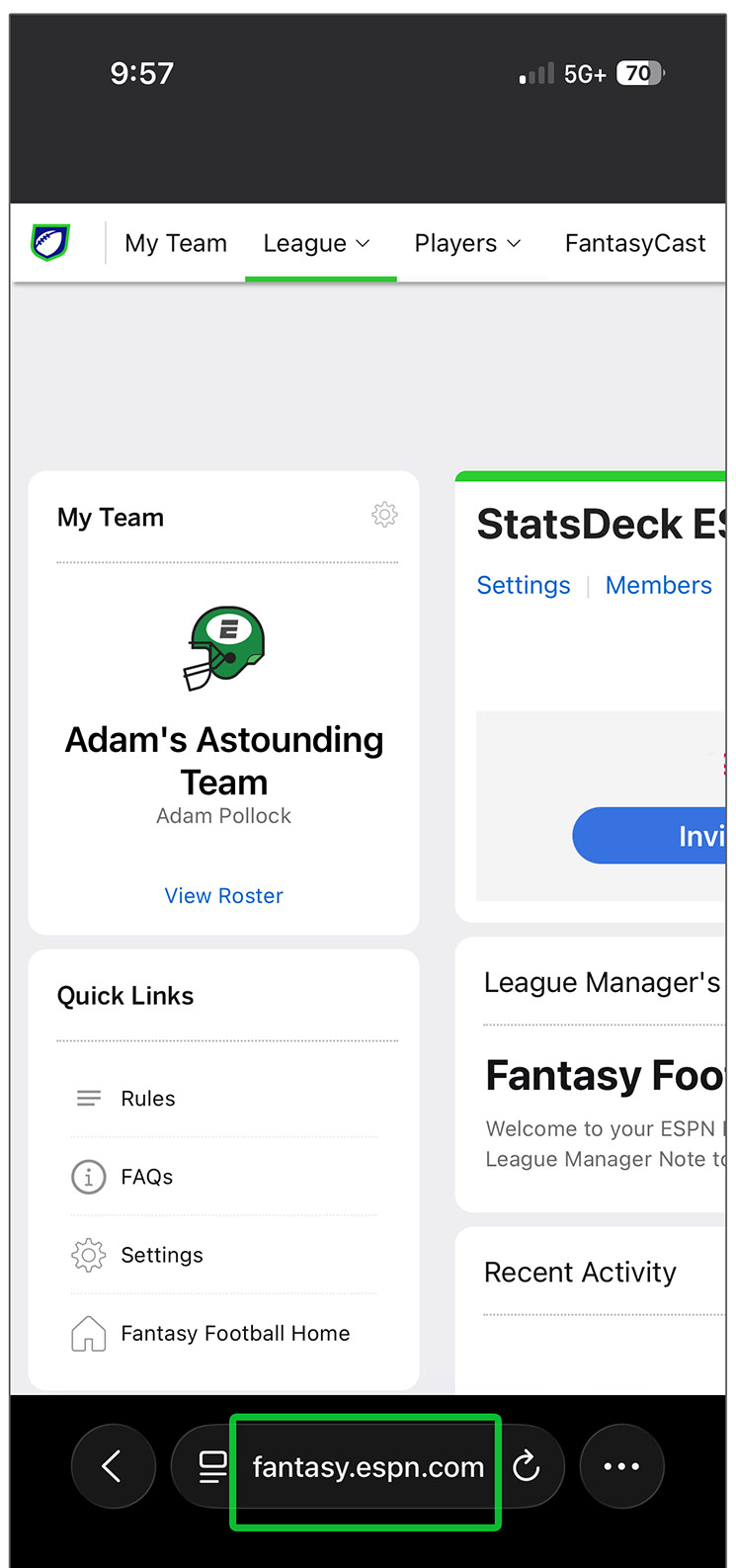
Tap or click to enlarge
Step 1
Desktop (Chrome)
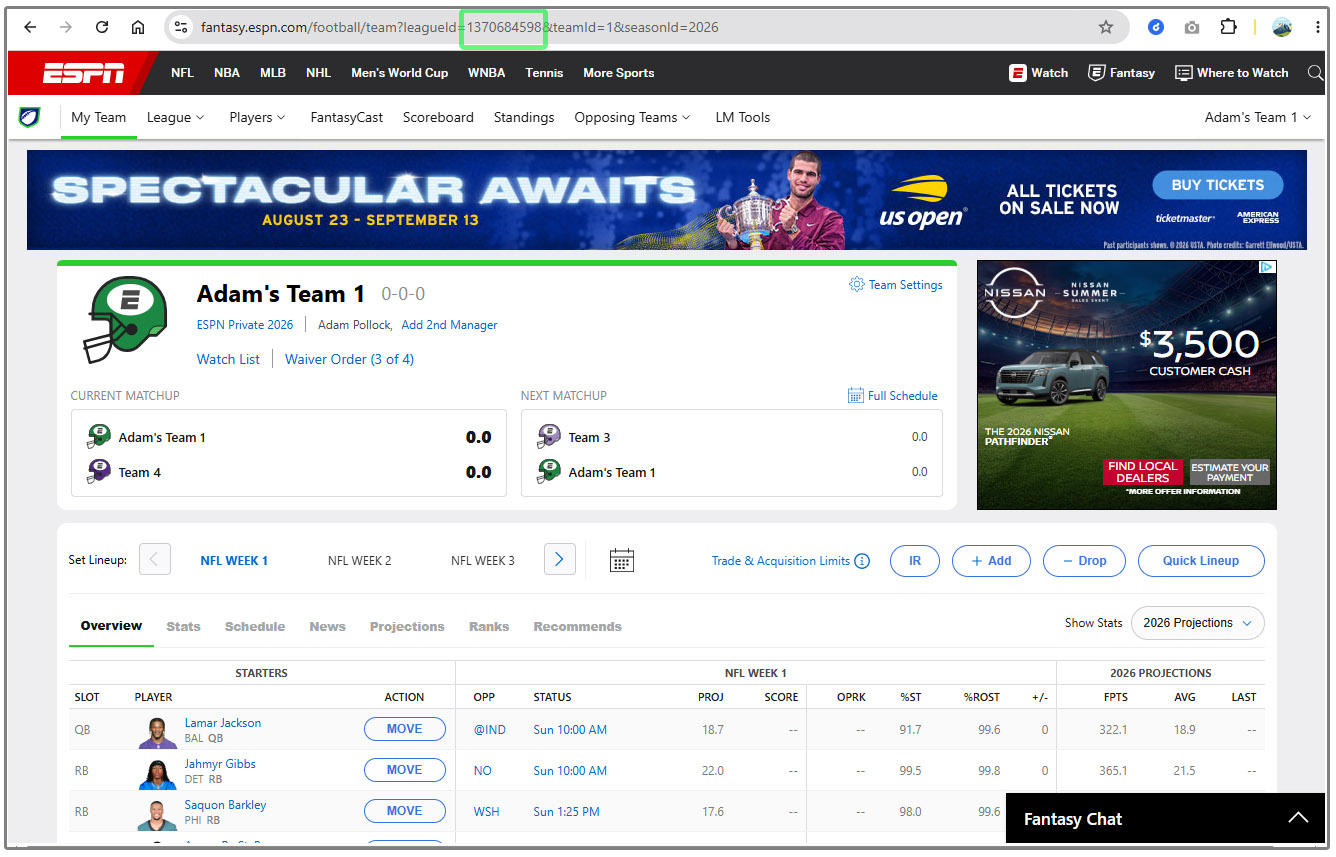
Tap or click to enlarge
Step 1